Supercharge your creative workflow
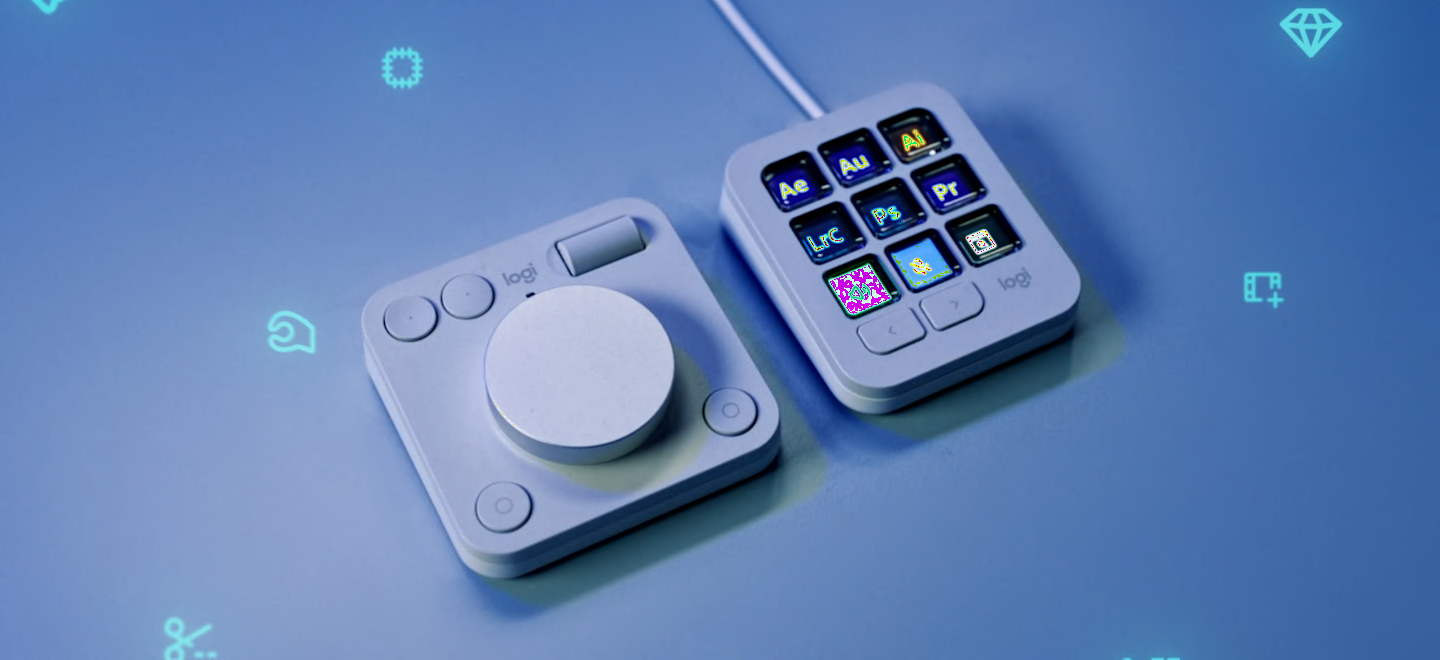
MX Creative Keypad gives you quick access to all the tools, shortcuts, and actions you need from your favorite applications with recommended profiles that let you get started right away on LCD display keys, or fully customize it to fit your own workflow and style.
Supercharge your creative workflow
MX Creative Keypad gives you quick access to all the tools, shortcuts, and actions you need from your favorite applications with recommended profiles that let you get started right away on LCD display keys, or fully customize it to fit your own workflow and style.
Feel, focus, control
Precise tactile analog controls on the Creative Dialpad lets you connect with your creative workflow. Make precise adjustments with an aluminum low-friction dial, navigate and adjust with a smooth roller, and access shortcuts with customizable keys.
Feel, focus, control
Precise tactile analog controls on the Creative Dialpad lets you connect with your creative workflow. Make precise adjustments with an aluminum low-friction dial, navigate and adjust with a smooth roller, and access shortcuts with customizable keys.
Seamlessly integrated with your favorite apps
Instantly access actions and tools for apps such as Adobe Photoshop, Adobe Premiere Pro, Adobe Illustrator, Adobe Lightroom and Lightroom Classic, Final Cut Pro, DaVinci Resolve, Figma, Zoom, Spotify, and many more.
Seamlessly integrated with your favorite apps
Instantly access actions and tools for apps such as Adobe Photoshop, Adobe Premiere Pro, Adobe Illustrator, Adobe Lightroom and Lightroom Classic, Final Cut Pro, DaVinci Resolve, Figma, Zoom, Spotify, and many more.
Create the way you want
Customize MX Creative console to fit your entire creative workflow. Through the Logi Options+ App, get access to recommended profiles, shortcuts, and actions that you can assign to up to 15 keypad pages per app.
You can also personalize the Creative Keypad and use your own custom icons to assigned keys.
Create the way you want
Customize MX Creative console to fit your entire creative workflow. Through the Logi Options+ App, get access to recommended profiles, shortcuts, and actions that you can assign to up to 15 keypad pages per app.
You can also personalize the Creative Keypad and use your own custom icons to assigned keys.
Expand your capabilities on marketplace
Find a growing library of free plugins, profiles, and more for you to try out through the marketplace on Logi Options+ App.
Expand your capabilities on marketplace
Find a growing library of free plugins, profiles, and more for you to try out through the marketplace on Logi Options+ App.